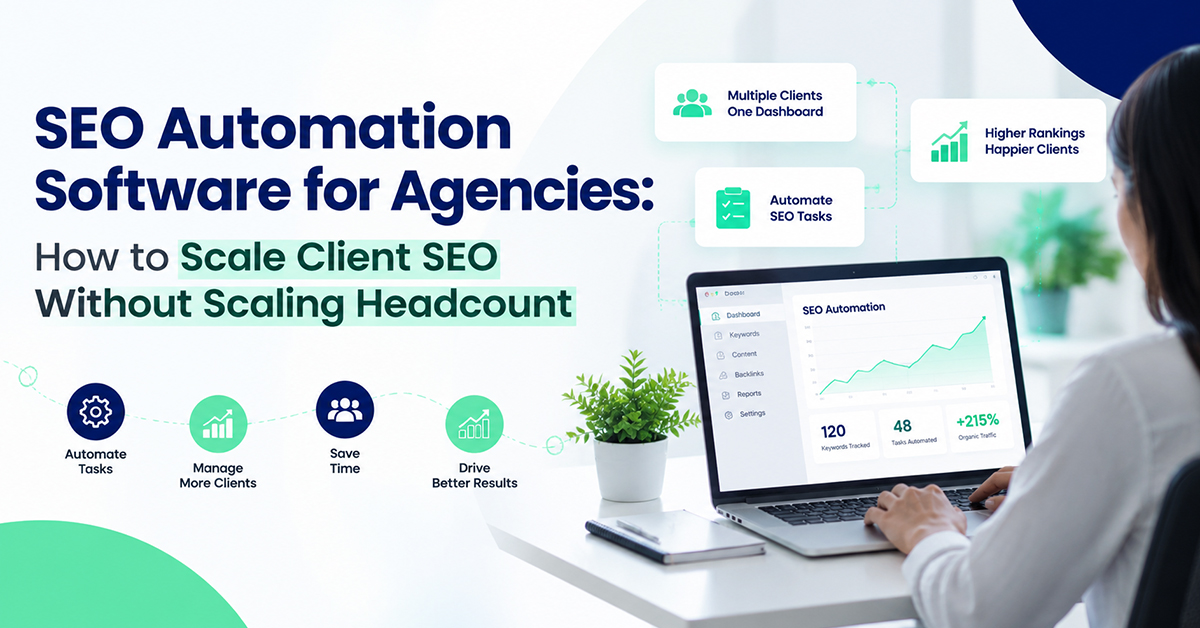
Your content calendar for March has eleven client blogs due, two technical audits half finished, and a new prospect asking why their rankings dropped last week. You have one strategist, maybe two, and none of them can be in four places at once. This is the moment most agency owners start looking for something to take the repetitive 70% of SEO work off their plate, because hiring another full-time SEO specialist costs more than most retainers bring in.
SEO automation software exists for exactly this gap. It handles keyword research, content drafting, technical audits, and rank tracking on a schedule, so your team spends its hours on strategy and client relationships instead of pulling the same reports every Monday. Done right, it lets a two-person team service the client load of a six-person team without anyone burning out.
What Is SEO Automation Software, Exactly?
SEO automation software is a category of tools that runs recurring SEO tasks on a schedule instead of requiring a person to trigger them manually each time. That covers keyword tracking, technical site crawls, content production, and reporting, all connected so one platform replaces four or five separate subscriptions.
The distinction that matters for agencies is between automation and assistance. A tool that suggests keywords when you ask it to is assistance. A tool that crawls your client's site every week, flags new issues, drafts the next blog in the content calendar, and drops a report into a shared dashboard without anyone opening the tool is automation. Most agencies start with the first kind and eventually need the second, once the client count outgrows what manual work can sustain.
Why Are Agencies Switching to SEO Automation Software Now?
Two things changed at once. AI writing quality got good enough that a first draft needs editing, not rewriting, which cut content production time from days to hours. And client expectations shifted toward monthly reporting and visible movement, which is hard to deliver consistently with a small team doing everything by hand.
Here's a trade-off worth naming honestly: automation compresses the time between "keyword identified" and "content published," but it doesn't compress the judgment calls. Deciding which keywords are worth targeting for a specific client's buyer, not just search volume, still needs a strategist's eye. Agencies that treat automation as a replacement for strategy rather than a force multiplier for it tend to publish more content that ranks for nothing useful.
What Should You Automate First: Content, Tracking, or Audits?
Content production usually gives the fastest payoff, because writing time is the biggest single line item in most SEO retainers. Rank tracking comes second, since manual position checks across dozens of keywords per client eat hours that automated dashboards handle in seconds.
Technical audits are worth automating third, once the first two are stable. A SEO content automation workflow is a useful reference point here: it runs keyword research against a client's specific niche and competitors, writes the blog, and publishes it directly to WordPress, Shopify, or a custom CMS on a monthly schedule, which is the exact content bottleneck most agencies hit first.
How Does Automated Keyword Research Actually Work?
Automated keyword research tools pull search volume, difficulty, and competitor ranking data for a domain, then filter for terms where the client has a realistic shot at ranking within a set timeframe, usually 60 to 90 days. The software cross-references what the client already ranks for against what competitors rank for, and surfaces the gap.
The part that's easy to get wrong is trusting volume numbers blindly. A keyword with 10,000 monthly searches and brutal competition can be a worse pick than one with 800 searches and almost no competition, especially for a client three months into their SEO program. Good automated tools weight difficulty against domain authority rather than just sorting by volume.
What Does a Client SEO Dashboard Actually Need to Show?
A good client SEO dashboard needs to answer one question at a glance: is this working? That means current rankings, traffic trend, and content published, without requiring the client to interpret raw data.
Beyond that baseline, white label SEO reporting matters more than most agencies realize when pitching new business. Presenting dashboards under your own agency branding rather than the software vendor's is what keeps the client relationship yours instead of the tool's.
Client dashboards worth building around generally include:
Current rankings for tracked keywords, with week-over-week movement
Organic traffic trend, not just a single snapshot number
Content published that month, linked directly for the client to review
One line explaining what changed and why, in plain language
Can AI Handle Technical Audits Without Breaking a Client's Site?
AI-driven technical SEO audits are reliable at detecting problems: missing meta descriptions, broken internal links, slow-loading pages, duplicate title tags. They're not reliable at deploying fixes without review, especially on sites with custom code or non-standard CMS setups.
The safer workflow, and the one experienced agencies settle on, is automated detection paired with human approval before anything goes live. Auto-applying a fix to a client's production site without a review step is how a well-meaning automation tool causes a ranking drop instead of preventing one. Flag first, fix second, always with a person in the loop for anything touching live code.
What Does SEO Automation Actually Cost an Agency?
Costs vary by what you're replacing. For context, a full-service SEO agency retainer in India commonly runs somewhere in the ₹25,000 to ₹75,000 per month range, an in-house junior content writer runs roughly ₹20,000 to ₹25,000 per month, and standalone keyword research tools add another few thousand rupees monthly on top of that.
This is usually where the case for SEO agency management software becomes obvious on paper: bundled platforms that combine content, tracking, and reporting into one subscription typically start well under ₹5,000 per month for a single site, scaling up with content volume and number of connected properties.
How to Roll Out SEO Automation Without Disrupting Current Clients
Pick one client to pilot on, ideally one with a straightforward CMS and a strategist who's bought into testing new tools.
Automate reporting first. It has the lowest risk and immediately frees up hours every client account was already costing you.
Move content production to automation next, keeping a human edit pass before anything publishes.
Add technical audit automation last, and only with a manual approval step before any fix goes live.
Review results after 60 days before rolling the workflow out to the rest of your client roster.
Once you've got one client running smoothly on an automated workflow, the case to scale your SEO agency without hiring usually makes itself. A free trial with three AI-written blogs and no card required is enough to judge the content quality before committing further.
Frequently Asked Questions
Is SEO automation software worth it for a small agency with only a few clients?
Yes, particularly if content production or reporting is eating hours you could bill elsewhere. Even a two- or three-client agency benefits from automating the repetitive parts, since the time saved compounds every month the client stays on retainer.
Will automated content rank as well as content written by a human strategist?
It can, provided the tool does real keyword and competitor research before writing rather than generating generic text. Quality depends heavily on the underlying research step, not just the writing itself.
How long does it take to see results after automating SEO work?
Most agencies see first indexing and ranking movement within two to three weeks, since that's roughly how long Google takes to crawl and rank new content. Meaningful traffic changes typically show up by month two.
Can SEO automation software work across multiple client CMS platforms?
Most platforms built for agencies support WordPress, Shopify, and custom sites through API connections. Confirm platform compatibility before onboarding a client, since custom-built sites sometimes need a one-time integration setup.
Does using AI content tools risk a Google penalty?
No, provided the content is genuinely helpful and well structured. Google's guidance focuses on content quality and usefulness, not how it was produced, and agencies using automation at scale generally see no penalty when editorial review stays in the workflow.
How do I know which tasks to automate first for my agency?
Start with whichever task currently consumes the most billable hours for the least strategic value, usually reporting or first-draft content. That's where automation pays for itself fastest.